website
One website, built five ways. See how you edit it.
I built the same small-business website five times: once with no editor at all, and four times with a different one. Same design, same pages, same content. What changes is how you update it. Here is each option, with the real screens your team would use.
all five built and checked, October 2026
A small accounting firm's website.
Brezak & Lenac is a fictional accounting firm in Zagreb: services, fees, about, articles and contact. All five versions look the same to a visitor. I checked every page against the original, pixel by pixel, on a laptop and on a phone.
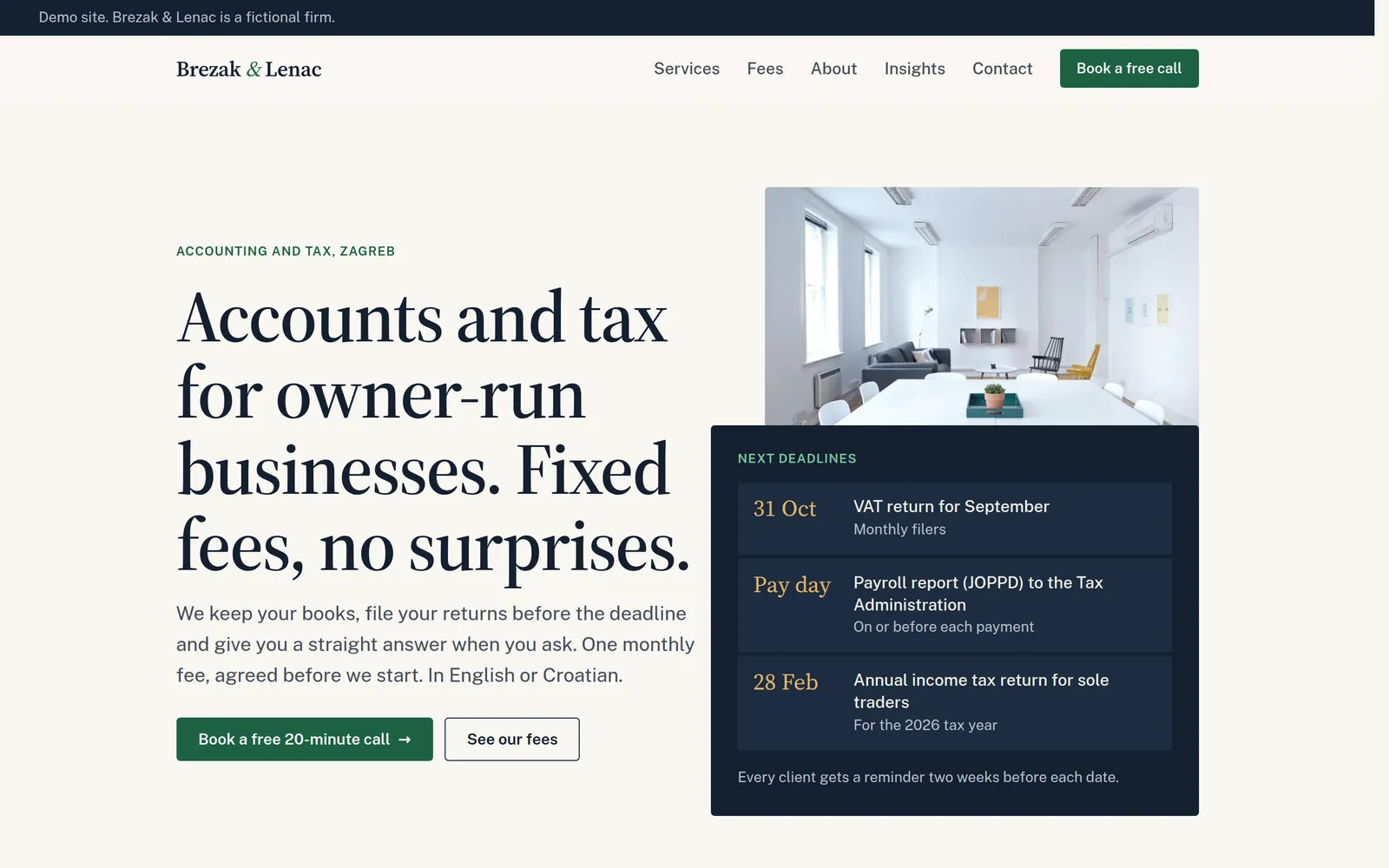
You edit the content. The design stays locked.
In every version with an editor, you change what changes in a real business:
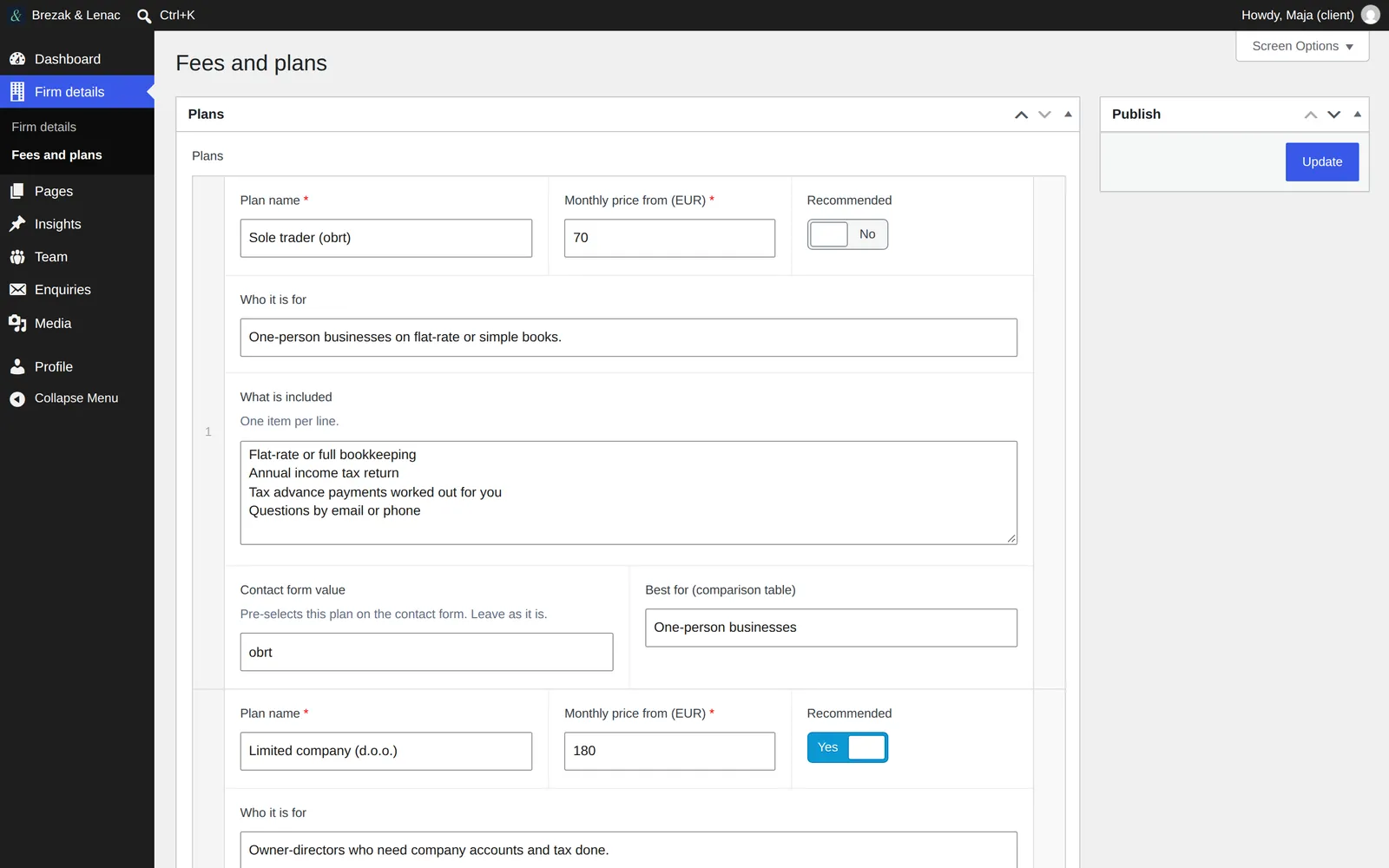
- prices, plans and what each plan includes
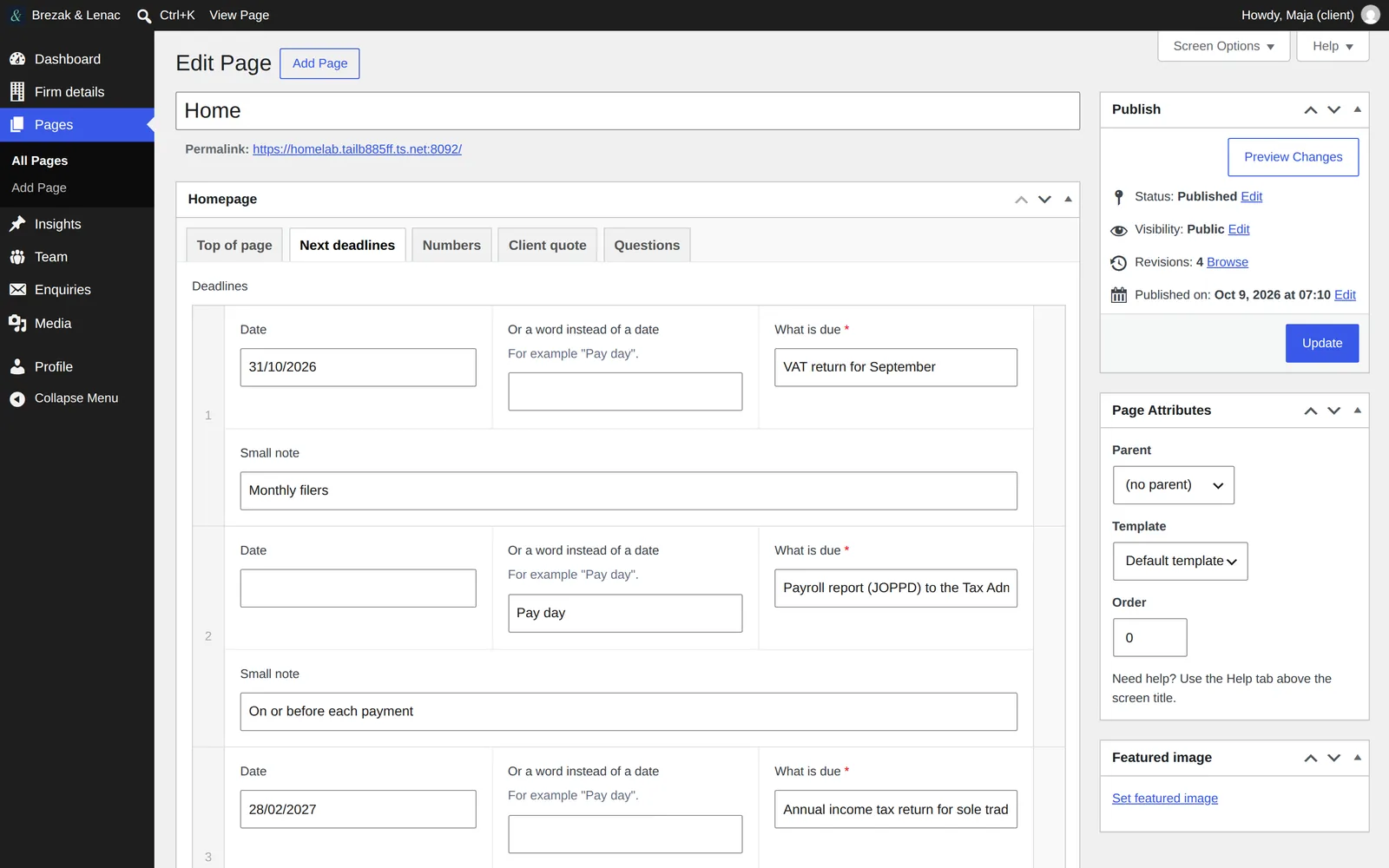
- the "next deadlines" box on the homepage
- headlines and intro texts of every page
- team members, with their photos
- articles
- contact details, and the messages people send through the contact form
Layout, colours and the order of sections stay in the code. That is on purpose. The site still looks right after a hundred edits, and nobody can break it by accident.
side by side
The five options at a glance.
| Done for youno editor | WordPressclassic admin | WordPress + Brickspage builder | Kirbycustom panel | Astro + Keystaticstatic, with editor | |
|---|---|---|---|---|---|
| How you edit | you email me the change | forms in the WordPress admin | click a text on the page and type | forms in a clean panel | forms in a simple editor |
| Where you edit | — | any browser | any browser | any browser | the editor on one computer |
| Changes go live | when I publish them | at once | at once | at once | after the site is rebuilt and uploaded |
| Contact form messages | by email | saved in the admin, and by email | saved in the admin, and by email | saved in the panel, and by email | by email |
| Database | none | yes | yes | none | none |
| Paid licences | none | one plugin | builder and one plugin | one per site | none |
| Upkeep | almost none | regular updates | regular updates | few updates | almost none |
| Best for | you change the site a few times a year | you edit often and want the screen most people know | you like to edit right on the page | a calm admin with nothing extra in it | the fastest site and the least to maintain |
Done for you: you never log in.
The site is plain HTML on a fast host. There is no admin, so there is nothing to update and nothing to hack. When something changes, you tell me.
You send me the change
An email is enough: "new price for the d.o.o. plan, from March".
I make it and check it
On a laptop and a phone, before anything goes live.
You get a short reply
With the link, so you can see the change yourself.
WordPress: the screen most people already know.
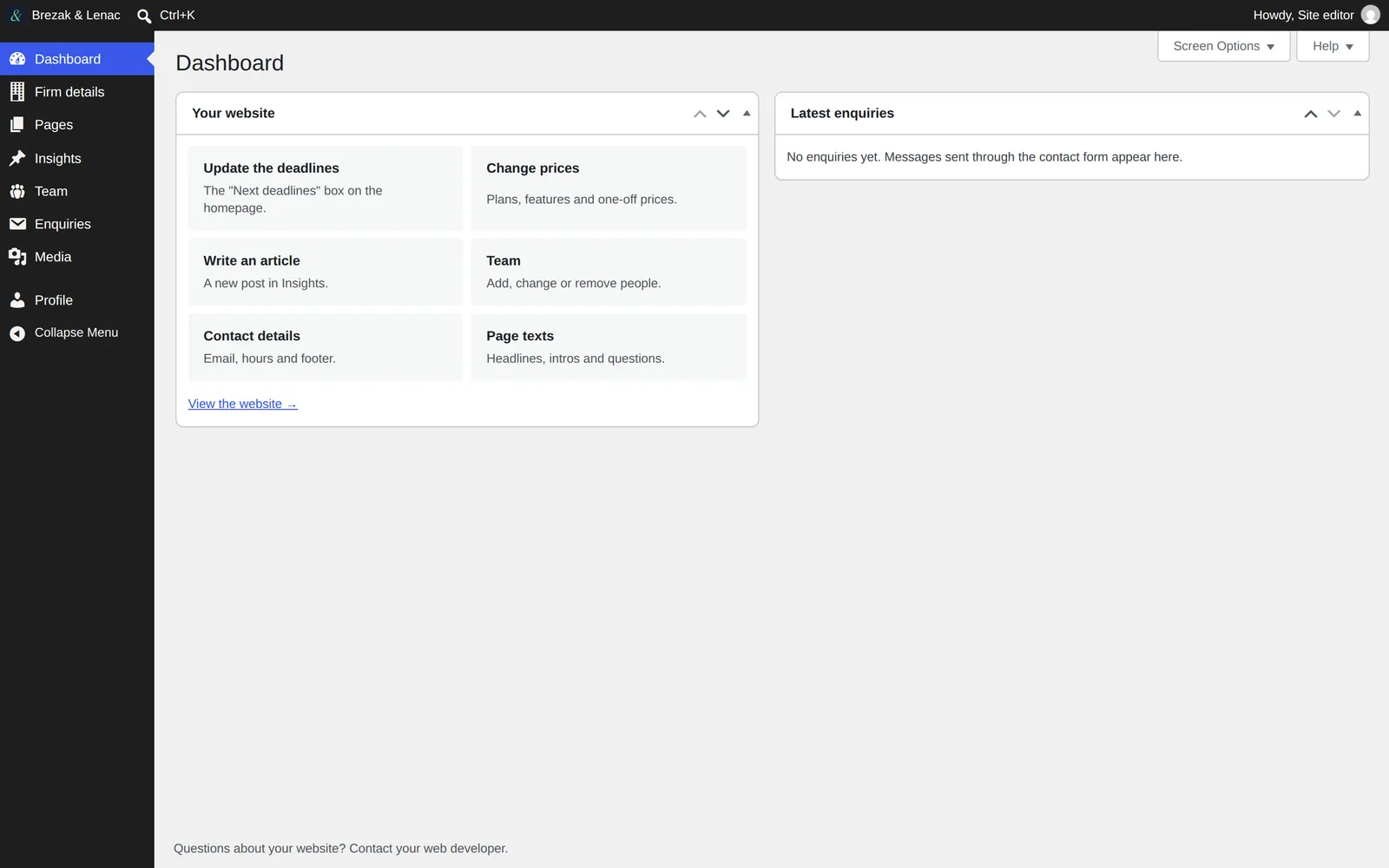
You log in and get a short menu with your words in it: Firm details, Pages, Insights, Team, Enquiries. Each page has its own fields. Prices are edited once and show up everywhere they are used.
Log in
At your own address, yoursite.com/admin.
Open what you want to change
The dashboard has shortcuts: update the deadlines, change prices, write an article.
Change it and press Update
The site changes at once.
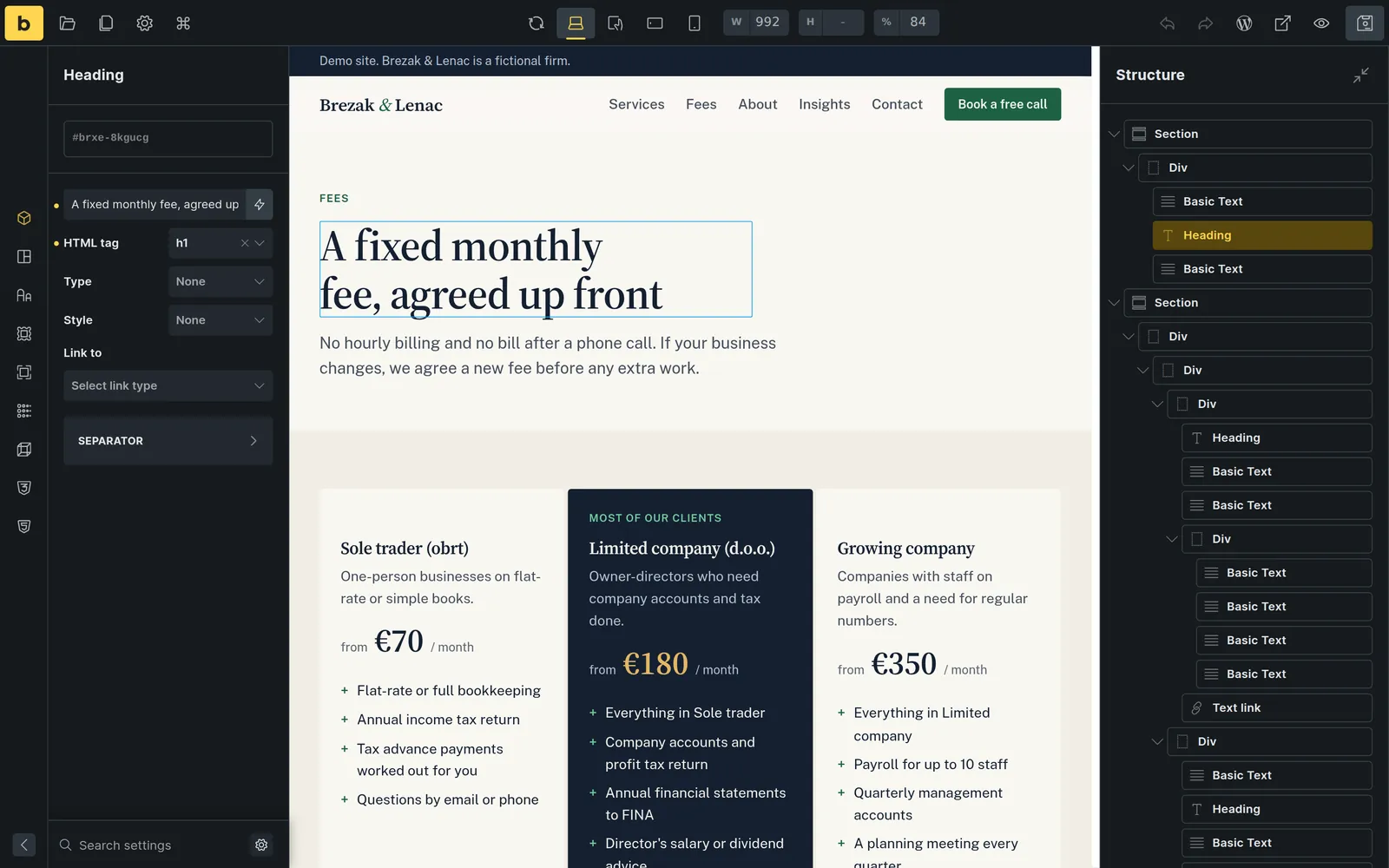
WordPress with Bricks: click a text and type.
You see the page itself while you edit it. Your account can change texts, images and links, but not the layout, the colours or the styles. The admin around it is the same short WordPress menu.
Open the page in the builder
The dashboard has a shortcut for each page you edit often.
Click the text you want to change
Type over it, right where it sits on the page.
Save
Moving or deleting sections is locked for your account.
Kirby: a quiet admin with only your things in it.
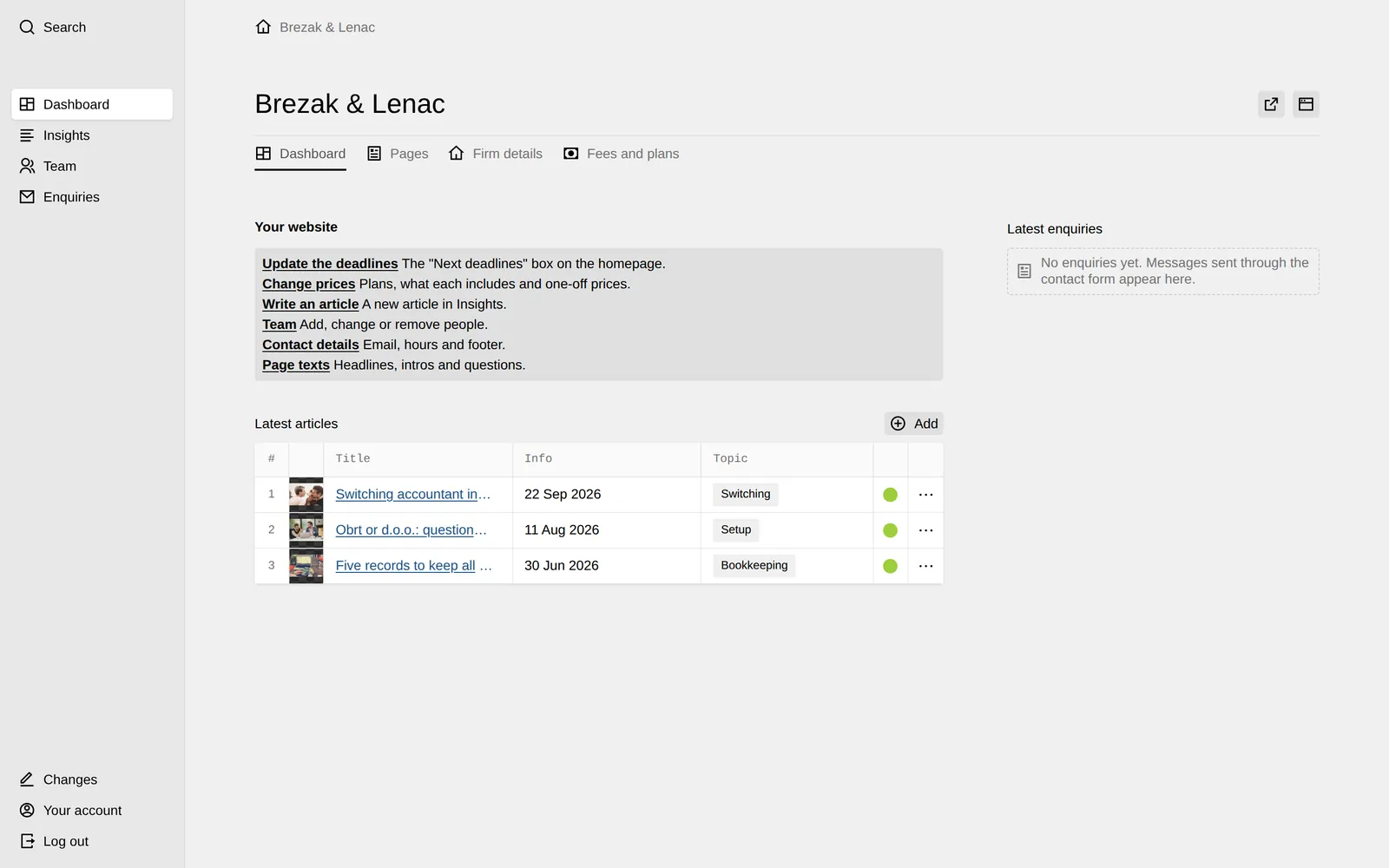
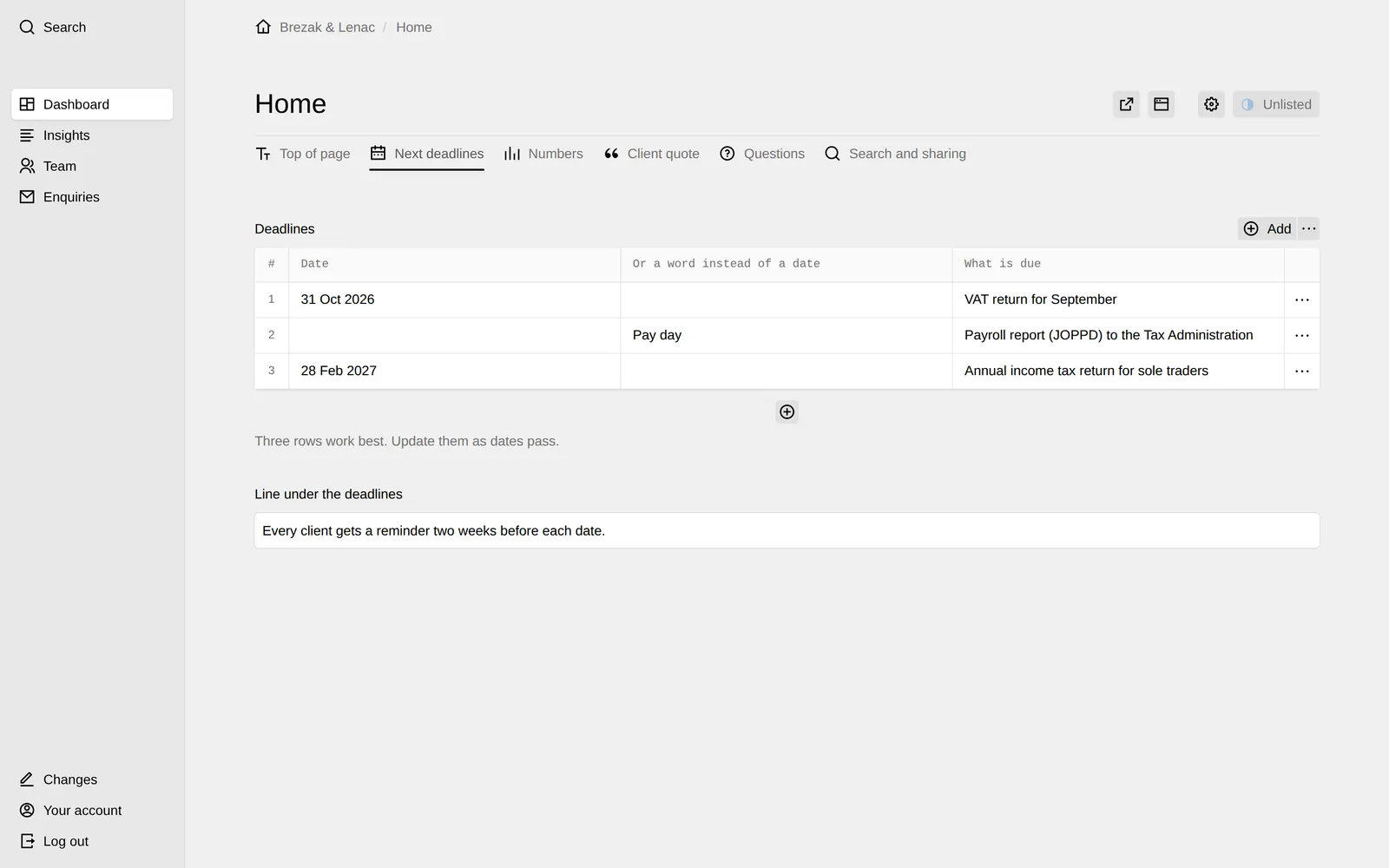
No plugins and no database: the content lives in plain files. The panel is built around this one website, so the menu is Dashboard, Insights, Team and Enquiries, and nothing else. Fewer moving parts means fewer updates.
Log in
At yoursite.com/admin. Two-step login is available.
Pick a shortcut or a tab
Firm details, Fees and plans, or a page and its tabs.
Change it and press Save
The site changes at once.
Astro with Keystatic: plain HTML, with an editor on the side.
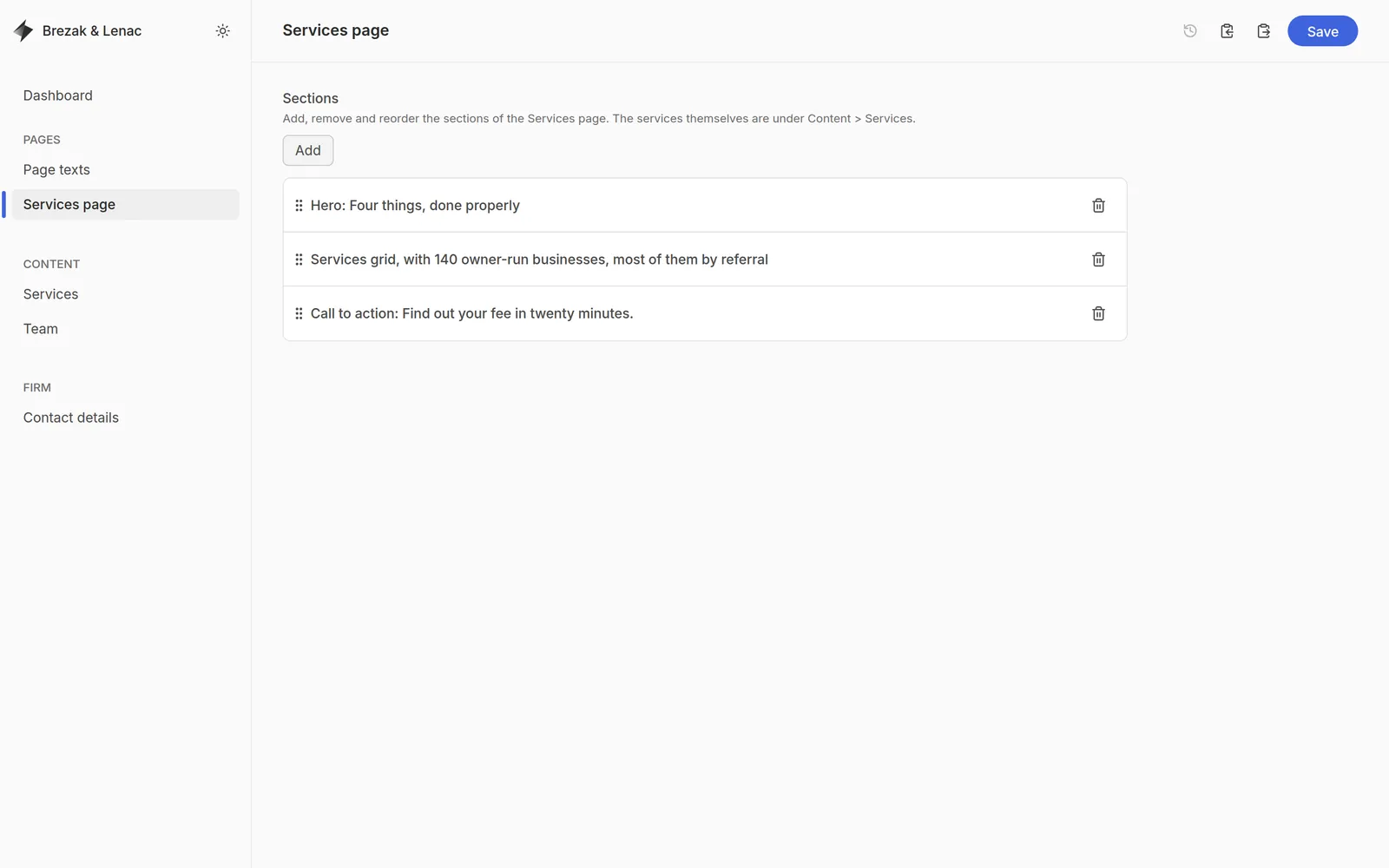
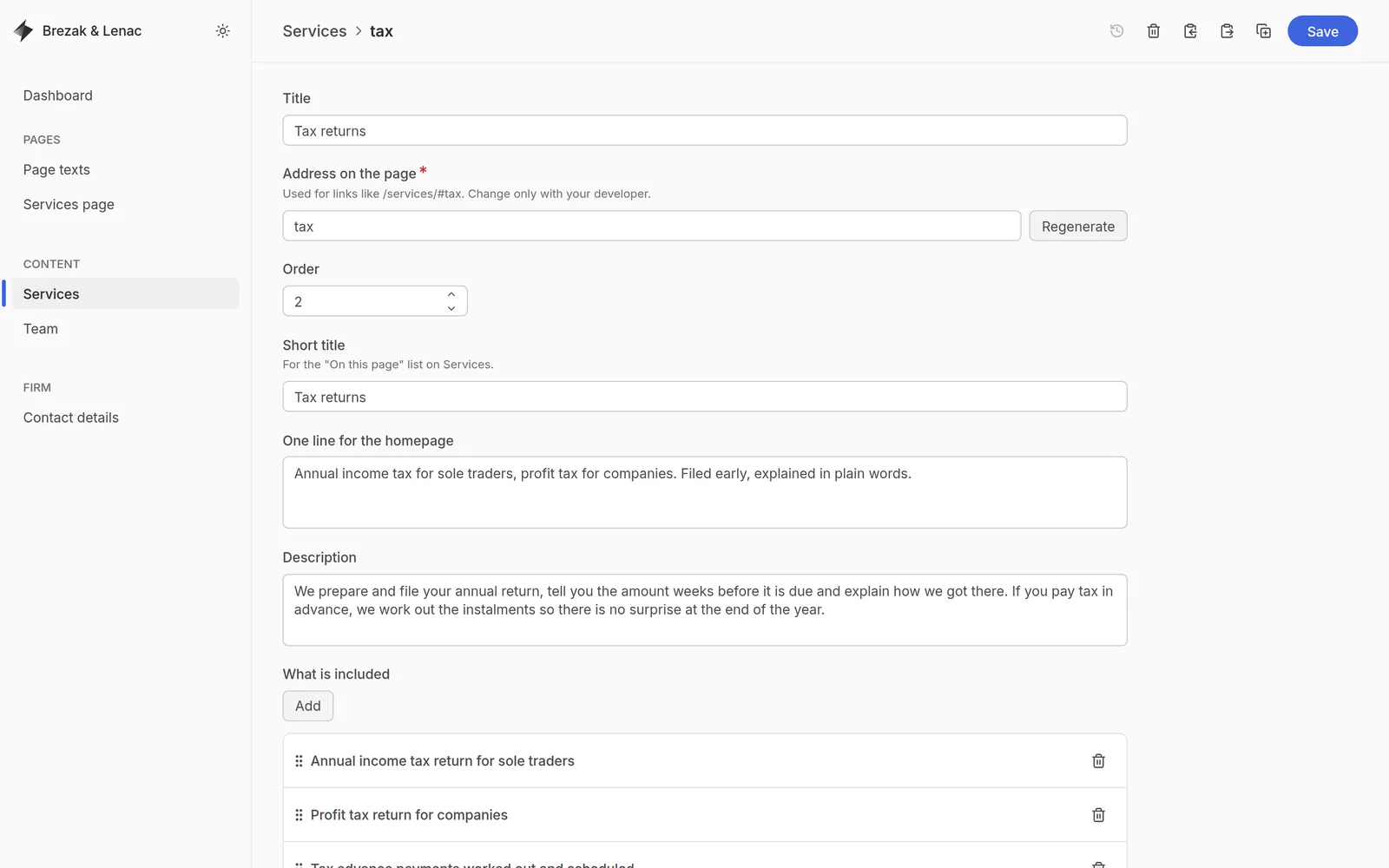
The live site is plain HTML, like the done-for-you option: the fastest to load and the least to maintain. The editor runs on one computer and is never on the live site. You edit, save, and the site is rebuilt and uploaded.
Open the editor
Services, Team, Page texts and Contact details, each in one place.
Change a text or a photo
On the Services page you can also add, remove and reorder ready-made sections.
Save, then publish
The site is rebuilt in seconds and uploaded to the host.
Common questions.
Which one should I pick?
If you change the site a few times a year, done for you. If you edit every month, one of the editors. I recommend one in the first call, based on how often you edit, who edits, and where the site is hosted.
Can I switch later?
Yes. The design is the same in all five, so moving to another option means changing the editing part, not building a new website.
Is one of them faster for visitors?
All five load fast. The two plain-HTML options, done for you and Astro, are the fastest, because there is nothing to work out on the server when someone opens a page.
Can I break the site while editing?
No. Layout, colours and section order are locked in every option. You change texts, prices, photos and articles; the design stays as it was built.
Not sure which one fits? Ask me.
Thirty minutes is enough. You tell me how you work, I tell you which option fits and why.